Safeguarding Your VCF 9 Deployment: Backup Configuration Essentials
In the world of modern digital infrastructure, resilience is not optional—it’s a necessity. VMware Cloud Foundation (VCF) 9.0 brings powerful capabilities for managing private cloud environments, but even the most advanced platforms are vulnerable to failures, misconfigurations, or unforeseen disruptions. That’s why configuring backups is one of the very first tasks administrators should tackle after deployment.
A well‑designed backup strategy ensures that critical management components—such as SDDC Manager, NSX, Fleet Manager, Identity Broker, and Automation services—can be restored quickly in the event of a system failure, upgrade mishap, or certificate update. Without this safety net, downtime can escalate into costly interruptions for research, education, or business operations.
Why Backup Matters in VCF 9
- Resilience and continuity: Backups protect against data loss and allow rapid recovery of management services.
- Operational integrity: Scheduled backups minimize downtime during upgrades or configuration changes.
- Disaster preparedness: A consistent backup plan is your insurance against unexpected disruptions.
Backup Methods for VMware Cloud Foundation
The following backup methods are supported for a VCF environment. Backups for vCenter can be made through the VAMI. Backups for VCF Operations appliances can be made with a suitable image-based (VM-based) backup tool. This article describes the file-based backup configuration.
| Category | Component | Supported Backup Method(s) |
|---|---|---|
| Core | vCenter | File-based or Image-Base |
| ESX | N/A | |
| NSX Manager | File-based | |
| NSX Edge | Edge configuration is included in NSX Manager backup | |
| Management | VCF Operations | Image-Based |
| VCF Operations fleet management | Image-Based | |
| VCF Operations for logs | Image-Based | |
| VCF Operations for networks | Image-Based | |
| VCF Identity Broker | File-based | |
| SDDC Manager | File-based or Image-Based | |
| Consumption | VCF Automation | File-based |
Fleet Management Component Backup
VCF 9 introduces a slightly evolved structure for backup settings. The first step is to configure a central SFTP server for storing the backup files. This SFTP server can be configured through Fleet Management → Lifecycle → Settings → SFTP Settings.
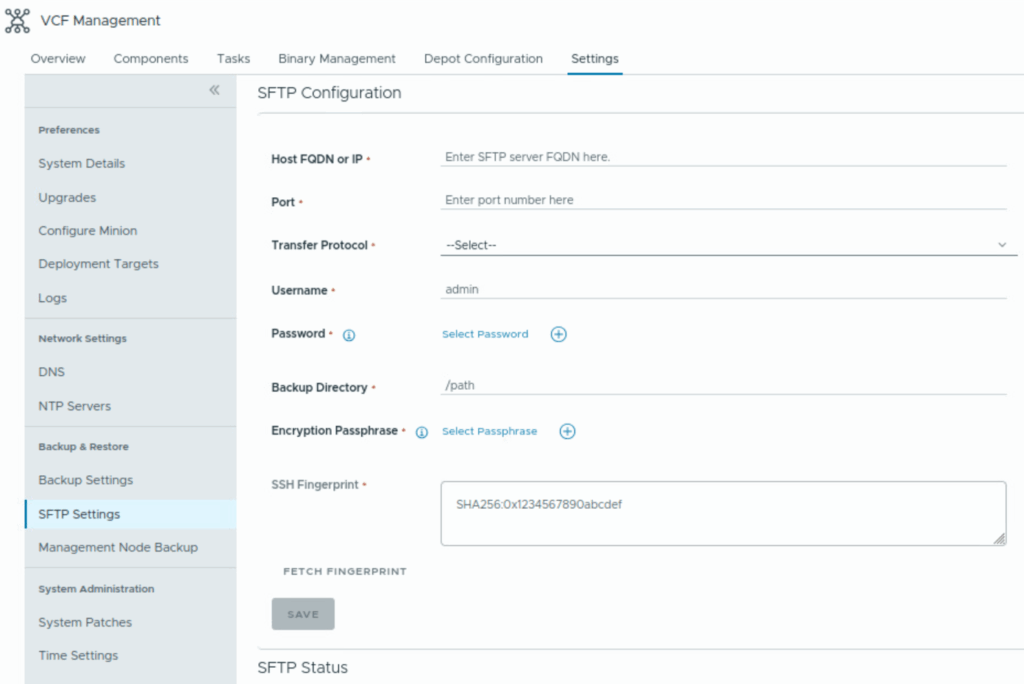
When the SFTP server is configured you can configure backup settings for the Fleet Manager, Identity Broker, and Automation. Head to Fleet Management → Lifecycle → Settings → Backup Settings to set up automatic backups.
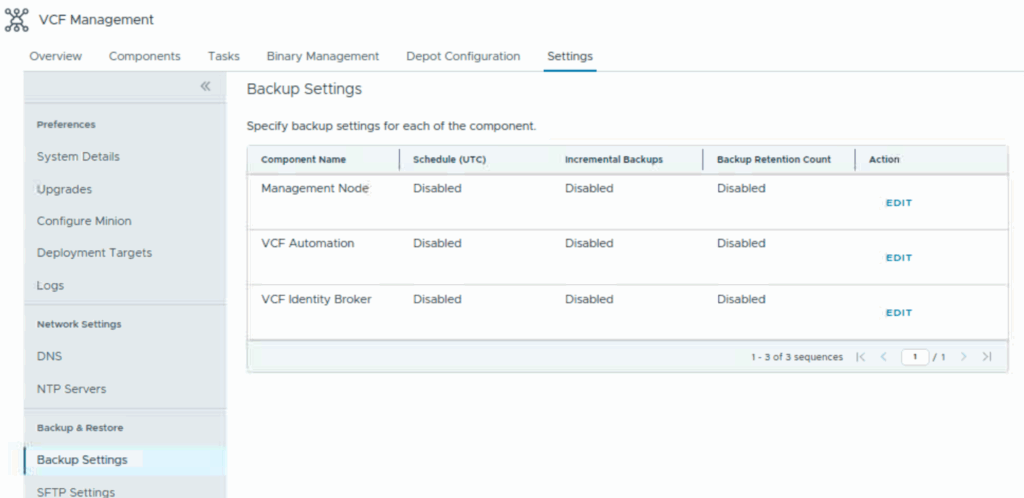
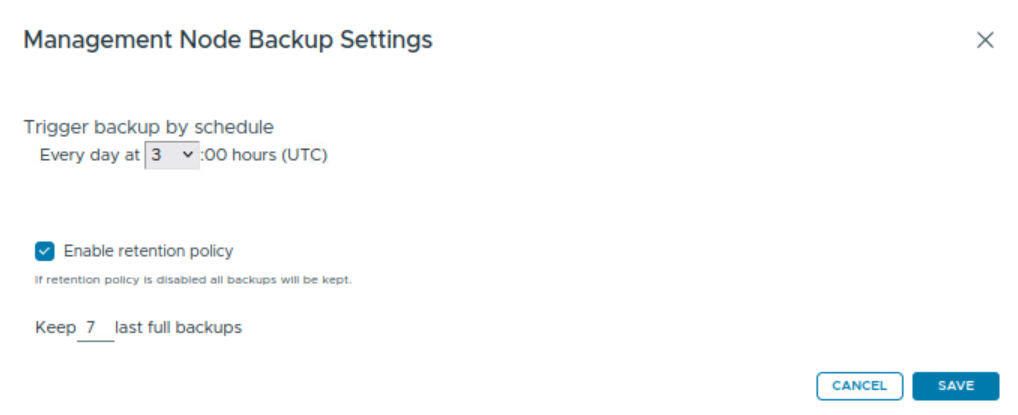
This separation ensures that each critical component has its own tailored backup policy, while still relying on a central SFTP repository for storage. Every component has the same settings for the scheduled backup. This example is for the Management Node.
It is also possible to create a manual backup of the Management Node. Go to Fleet Management → Lifecycle → Settings → Management Node Backup.
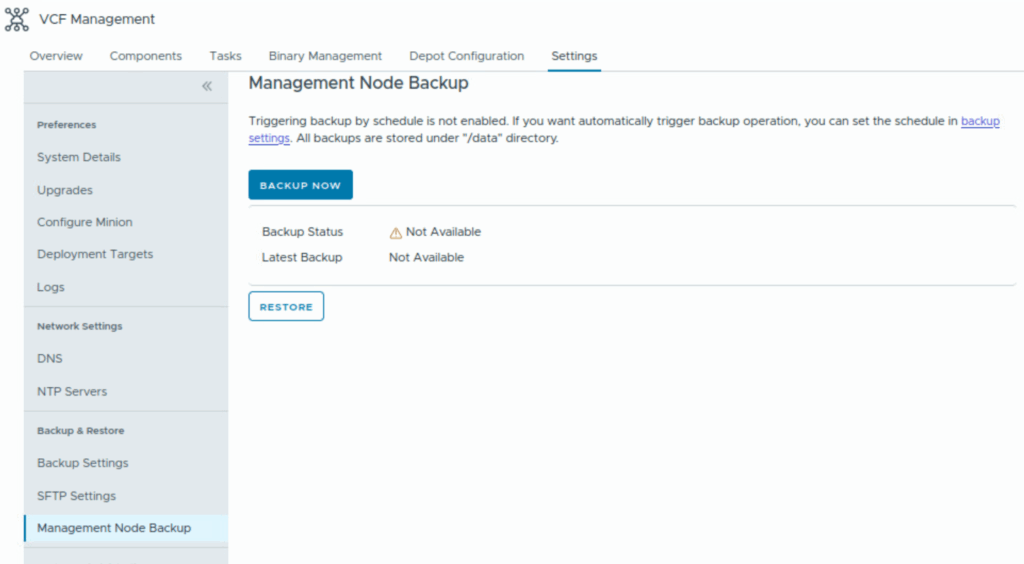
This is also the place where you can perform a restore of the Management Node.
BTW Snapshot-based backups of the VCF Automation and vIDB appliances are not supported…
SDDC Manager
The backup of SDDC Manager and NSX is configured on another page. First configure the SFTP server via Operations → Administration → SDDC Manager. Then select a Fleet and go to Backup Settings → Site Settings.

You can configure the external SFTP, schedule, and retention under Operations → Administration → SDDC Manager. Then select a Fleet and go to Backup Settings → SDDC Manager Configurations.
You must configure the backup jobs for the SDDC Manager instance and all vCenter instances to start within the same 5-minute window.
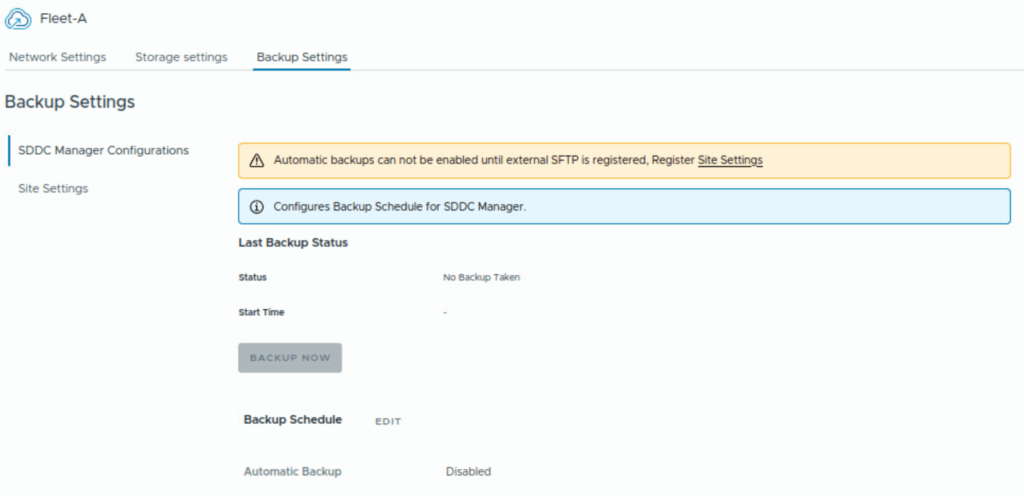
If you configured all schedules you basically configured the backup of the initial VCF fleet. If you also installed VCF Operations for Logs or VCF Operations for Networks you must configure the backup of those installations manually.